Sometimes, due to accidental deletion or a crash on an Android phone, you can lose your photos and files. This can be devastating, especially if you have stored important files. The relief here is that there are various tools that claim to recover lost or deleted Android files. But do they actually work, and how easy are they to operate?
While all of these tools claim to offer the same set of features and come with similar pricing, they might vary in recovery performance, reliability, and other factors. So to find out the truth, I have been testing these tools over the past few months. I tried many paid and free Android data recovery tools to see which ones truly work well. In this blog, I want to share my experience with the top Android data recovery software available in 2026.
In this article
1. Stellar Data Recovery for Android
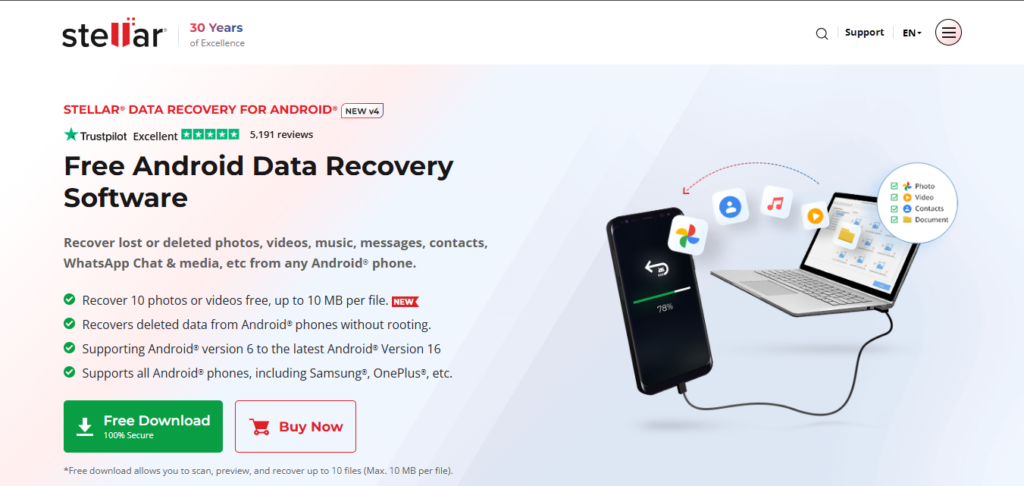
I started with Stellar Data Recovery for Android. Many friends recommended it, and I have to agree that it offers some solid features and a 30-day payback guarantee. The tool offered a deep scan of the file system that increased the chances of data recovery, it took around 35 to 40 minutes for a full scan of 64 GB data, and I appreciated how it displayed everything in categories. The most astonishing feature of the tool is its free trial. The interface was very simple, so that even someone new to recovery software could handle it. However, it looked very basic and old school.
When the scan was complete, I was impressed to see high-quality previews of my files. Photos looked perfect, and videos played normally, which gave me confidence in the tool’s accuracy. I downloaded 10 of my photos for free, which hit the free limit, so I purchased the tool to recover other files. What really made an impression was the reliable results. No files appeared corrupted or broken, and the recovery process was seamless.
It was easy to select the files I wanted to recover, and the entire process was smooth. The free version allowed recovery of 10 files, be it photos or videos, with a 10 MB size limit. Considering performance, speed, free trial and final results, Stellar seemed like the best of the bunch. It was also the most pocket-friendly option.
My Ratings – 8.5/10
2. Tenorshare UltData for Android

Next, I dove into Tenorshare UltData, mainly because it’s such a well-known name. At first, it seemed promising with an easy layout and clear steps. The problem is that the scan took a long time and kept getting stuck on the Android 16 device. It was about an hour just to scan my device with 64 GB data, which felt like a long wait, especially when you’re anxious to get your files back.
Once the scan finished, I could see the files in a list, color-coded by type. Photos, contacts, and messages were all there, but some videos appeared broken or out of order. The recovery speed was slow, and some files didn’t come back perfectly. This troubled me because I wanted a quick fix, but it wasn’t very fast or reliable.
Even with these issues, the software handled most smaller files well, but larger media took a hit. It’s a good option if you aren’t in a rush and don’t mind some errors, but I’d say it’s not the best for urgent data recovery. Despite the drawbacks, it did manage to recover some items, which was enough for me to keep it as a backup tool. Additionally, this tool comes with a 30-day payback guarantee.
My Ratings – 7.5/10
3. EaseUS MobiSaver for Android

After experiencing Stellar, I thought I’d try EaseUS MobiSaver next. It has a very straightforward interface that makes recovery options feel simple. When I ran it, the scan took approximately 40 minutes, which didn’t seem too long. Once it finished scanning, I was able to clearly preview almost all of my lost data. Contacts, photos, and messages all appeared well-organized, making my job of choosing what to recover pretty easy. It also has a free recovery option where a user can restore 1 message/contact/picture at a time
However, I did notice that a few videos either didn’t show up or came back slightly corrupted. Still, the software was quite stable and didn’t crash during my recovery. The speed was acceptable, and the preview feature worked well. Overall, EaseUS MobiSaver made the recovery process stress-free and was very reliable. It’s perfect for someone who wants an easy-to-use solution that gets the job done.
My Ratings – 7/10
4. iMyFone D-Back for Android
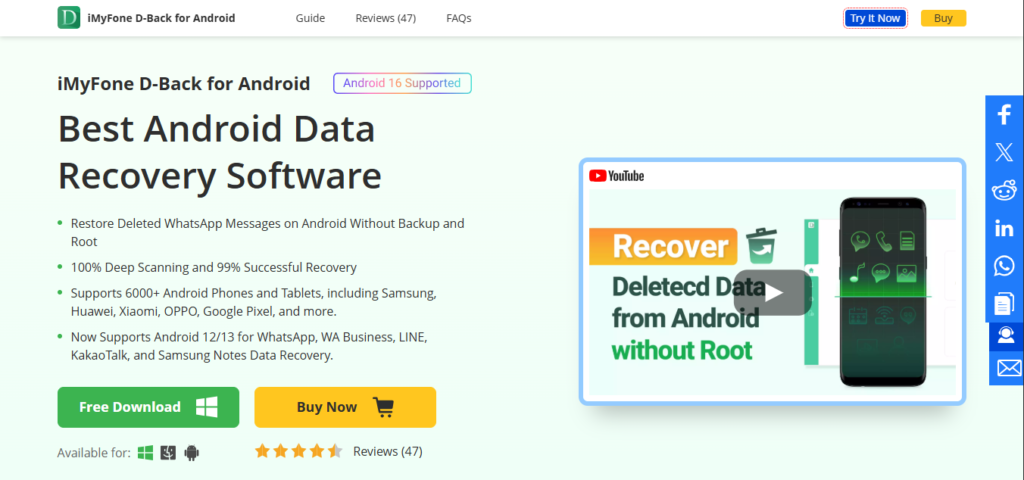
Trying out iMyFone D-Back left me feeling a little overwhelmed at first. It offers many options for deep, thorough scanning, which can be confusing if you’re not familiar with recovery tools. But the more I used it, the easier it felt. The scan took about 50 minutes, but it was very detailed. It efficiently recovered data even from a locked-out device, which is impressive for recovery tools.
When the results appeared, they looked great, with everything well organized.
What I liked most was that I could recover almost any type of data, including some files that other tools struggled with. The preview was very detailed, and I could select specific files for recovery. On the downside, it took longer than some others, and the interface might seem complicated for beginners. Still, when it comes to recovering data from damaged phones, this one really shines.
My Ratings – 7.5/10
5. Dr. Fone for Android

My last detailed test was with Dr Fone. The interface caught my eye because it looked modern and simple to understand. The scan was quick, taking only about 30 minutes. When it finished, I could immediately see a wide variety of recovery options, including WhatsApp chats, photos, contacts, and videos.
The process was not that complicated, and I appreciated how fast it was. Some files, however, came back with a slight loss of quality or minor errors, such as duplicates or incomplete folders. Still, overall, Dr Fone did a good job. It is fast, easy to use, and reliable enough for most casual users. It isn’t perfect, but it is a solid choice when time is limited.
My Ratings – 8/10
Quick Comparison Table
| Software | Key Features | Price |
| Stellar Data Recovery | Deep scan, high quality previews, Latest Android support, Most Affordable | Free Trial / 29.99/year |
| Tenorshare UltData | Deep Scan, Previews, Latest Android support | 39.95/year, 49.95 lifetime |
| EaseUS MobiSaver | Very user-friendly, clear interface, supports multiple data types | Free Trial / 39.95/year |
| iMyFone D-Back | Deep scans, recovers from broken devices, and detailed results | 39.99/year |
| Dr Fone | Fast, simple, broad data support | 39.95/year |
Other Android Data Recovery Options
Aside from these five tools, there are several others I have heard about but did not personally use. These include iToolab Recover, FonePaw, AnyRecover, Disk Drill, and FoneLab. I am keeping them for next time due to a resource crunch.
Each of these tools claims to recover deleted Android files. They also have their own loyal user base, thanks to some really nice features, but I can’t speak to their effectiveness from my own experience. They might be good alternatives depending on your specific needs, but you’ll need to wait for my honest opinion on these.
My Overall Experience
Trying out these tools gave me a better understanding of what’s available in the market today. It became clear that not all recovery solutions are equal. Some focus on speed, while others prioritize accuracy. For example, UltData was slow but still useful for small recoveries. Stellar impressed me because it combined quick scans with reliable results, making it the best option overall. EaseUS was very user-friendly, which is crucial if you’re not tech-savvy.
My take is that Stellar Data Recovery for Android performed the best. It balanced ease of use, quick scanning, and high-quality results. If you don’t mind spending a bit more, it’s definitely worth it.